
For a resume, a corporate website profile, or an office badge, you need a professional-looking photo. Not everyone has the time or desire to book a studio session. AliveColors can turn an everyday snapshot into a formal portrait: the background becomes neutral, the clothes become sharp, the hair looks tidy, and your facial features remain recognizable.
Here's how to get that result with cloud generation.
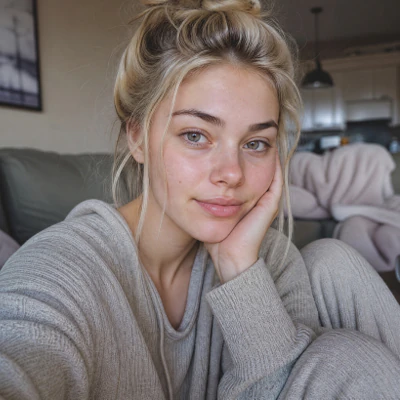
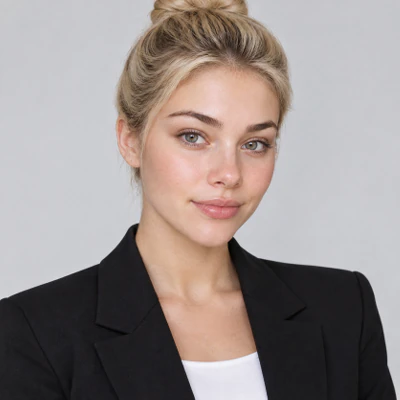
Open AliveColors and go to AI → Cloud Generation. Switch to Image-to-Image mode, select the model - this time we use GPT Image 2. Upload your original photo as the reference image and enter a prompt. For best results, use a clear frontal photo with even lighting, no heavy shadows, and the face fully visible.
You can use this prompt or adapt it to your needs:
- Professional business portrait of the same person as in the original photo. Hair pulled back from the face into a neat, sleek bun with no flyaways or stray hairs. Neutral solid background (light gray or white), confident upright posture, subtle face retouching to smooth skin and reduce blemishes, but keep facial features, bone structure, and identity unchanged. Add light natural makeup: soft foundation, more noticeable lips, nude eye makeup (neutral tones, subtle definition). The person is wearing smart business attire: a well-fitted blazer and a plain shirt or blouse. Ultra-realistic, high detail, professional studio lighting, corporate headshot style.
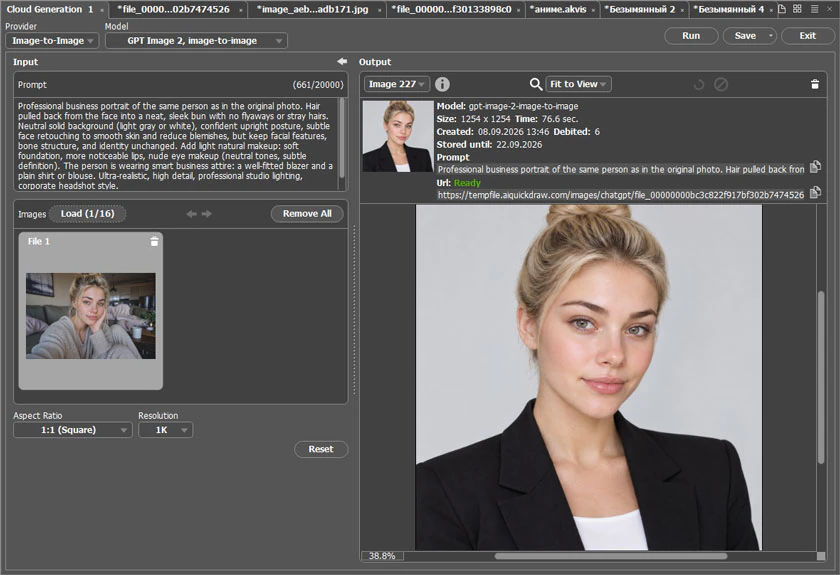 Cloud Generation
Click Run. The neural network will process the image and return a business portrait that keeps your facial features but applies the desired style: even lighting, sharp outfit, subtle makeup, and a neat hairstyle.
A few tips to get more accurate results:
- If the original photo is dark or noisy, first enhance it using Effects → Built-in Plugins → Enhancer → Improve Detail... or basic brightness/contrast adjustments.
- Add to the prompt the phrase same facial features, same identity, no plastic skin effect if the network starts to melt or distort your face.
- For a strict dress code, be specific: suit and tie for men or blazer with a white shirt for women.
- If the skin looks too smooth, add natural skin texture, visible pores, realistic details.
- Try different generation models - each has its own character. GPT Image 2 gives a more realistic result close to studio photography, while Nano Banana produces a smoother, perfectly polished image, as if professionally retouched.
- If the background looks blotchy, specify solid light gray background, studio backdrop, no shadows on background.
- Generate several variations, pick the best one, and then fine-tune any details in the AliveColors editor if needed.
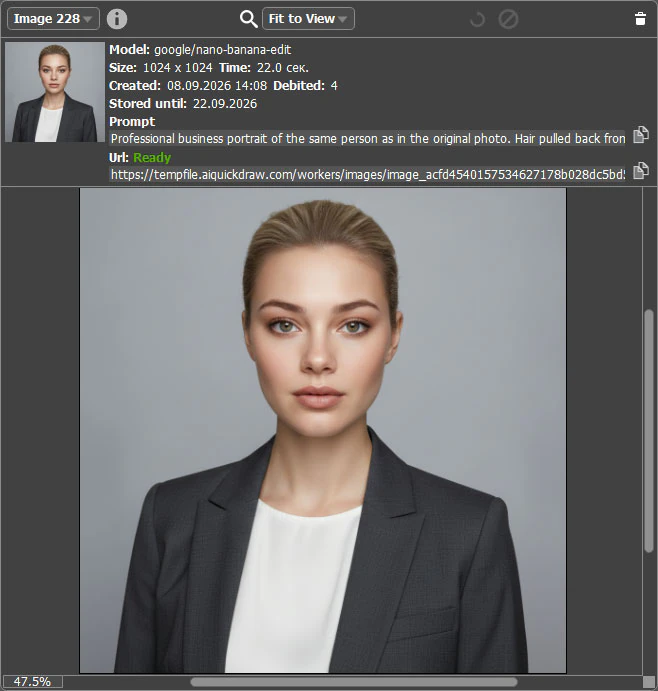 Generation with Nano Banana
Now you have a ready recipe: upload a photo, describe the task, and get a business portrait. The rest is practice - try different models, refine your prompts, and choose the best shot for your resume or work profile.